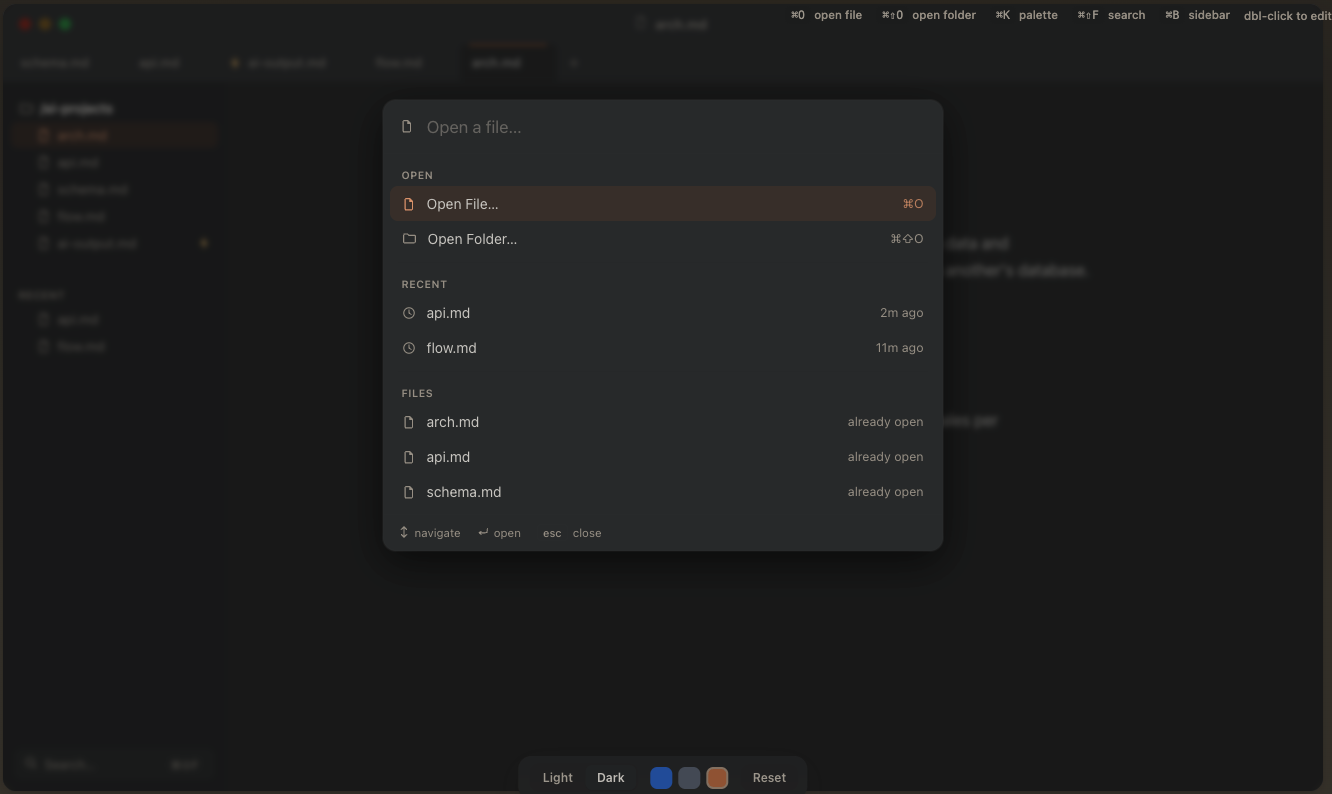
In August I wrote about why I built Galley, a Mac app for reading the markdown files an agent writes. Back then you had to build it yourself. Today Galley is a download.
I have used it every day since, and the biggest changes in this release came straight from that daily use.
Something I only noticed recently: I hardly open my code editors any more. Some weeks I open an IDE twice. Most of my day is now reading what agents write and telling them what to change, and that reading happens in Galley.
Two things I built because I needed them
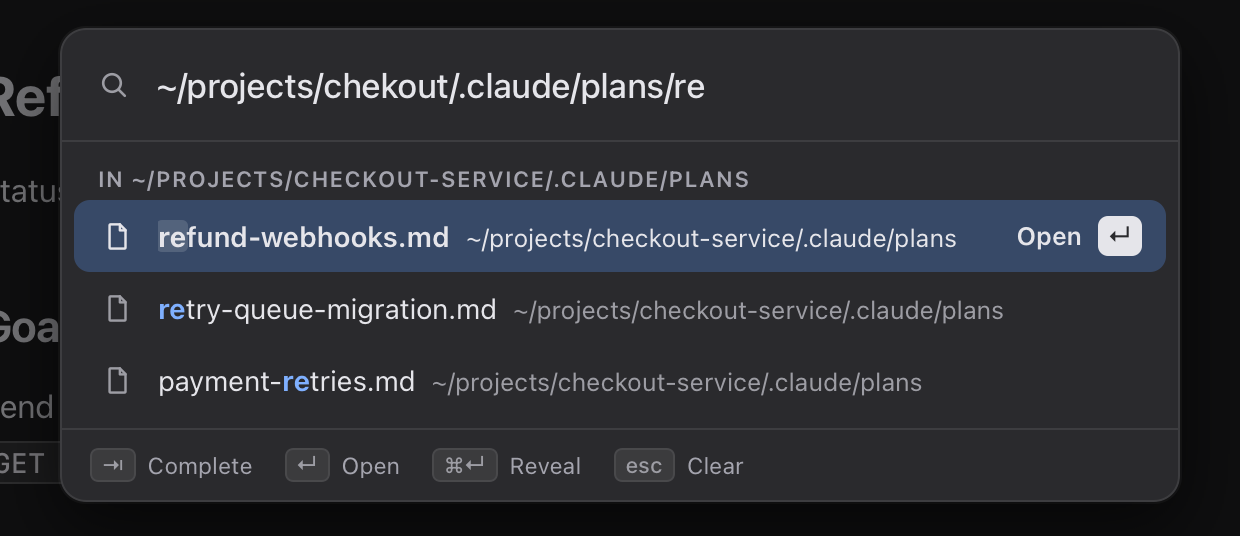
Opening a file from its path. An agent often prints a file path in the terminal. I don’t always want to review that file in detail, I just want to see what is in it. In iTerm2 my only option was to right-click, copy the path, and then go and find the file. Now I press ⌘L in Galley and paste or type the path. The completion is fuzzy, so a path that is nearly right still finds the file.
The command palette. I reach for ⌘K for almost everything. I type part of a file name to open it, I see my recent files, and the app’s commands are in the same list. Type # and it jumps to a heading in the open document. If nothing matches, it offers to create the file.
A few smaller things came along too:
- A thin rail on the right edge shows how far through a long document you are. It appears while you scroll, and pointing at it shows the minutes left.
⌘Ncreates a new document that stays in memory until you save it.- Wide tables use the free space beside the text, and the header row stays visible while you scroll.
⇧⌘Treopens the last closed tab.
The full list is in the changelog.
Why release it now
I am not going to spend forever polishing it. Galley does what it is supposed to do: it opens the file that is already on your disk, shows it properly, follows the file as the agent changes it, and only writes when you save.
One part still feels rough to me, and that is the folder navigation in the sidebar.
Install
Galley needs a Mac with Apple silicon and macOS 13 or later.
- Download
Galley_0.2.0_aarch64.dmgfrom the releases page. - Open it and drag Galley to Applications.
- The first time you open it, macOS blocks it. Go to System Settings > Privacy & Security and click Open Anyway. You only do this once.
It is free and open source under the MIT license.
What next
Exploration. I have a few ideas about how reading and reviewing what an agent writes could get easier, and I want to try them before I promise any of them.
What I would like from you
Download it, use it on the documents your agents write, and tell me honestly whether you would keep using it, and why or why not. A “no, because” is as useful to me as a yes. You can reach me on X, on LinkedIn, or by opening an issue on GitHub.